



Great awk
Gavin Wraith continues his series on awk.
(If you missed the earlier parts there's a copy of the Mawk interpreter in the SOFTWARE directory on the CD-ROM.)
Regular expressions
Besides numbers, strings and arrays, awk has another datatype, regular expressions, not to be found in older programming languages like Basic. A regular expression denotes a class of strings. We say that a string matches a regular expression if it belongs to the class which the regular expression denotes. Just as strings are enclosed in double-quotes ("), regular expressions are enclosed in forward-slashes (/). In a regular expression the following characters play a special role, and are known as metacharacters.
\ ^ $ . [ ] | ( ) * + ?
The strings of characters that appear berween the forward-slashes are built up as follows:
- A non-metacharacter
 simply matches itself.
 matches
  .
.
- The metacharacter . matches any single character.
- The metacharacter ^ matches the beginning of a string.
- The metacharacter $ matches the end of a string.
 matches any of
 .
.
 matches any character apart from
 .
.
 matches any character in the range from
 to
to
 .
.
 matches any character not in the range from
 to
to  .
.
 matches any string matched by either
 or
or  .
.
 matches any string of the form
 where
where  matches
  and
and  matches
  .
.
 matches zero or more consecutive strings each of which are matched by
 .
.
 matches one or more consecutive strings each of which are matched by
 .
.
 matches zero or one string matched by
 .
.
 matches any string matched by
 .
.
The parentheses may be needed to disambiguate expressions. The alternative operator (|) has lowest precedence, followed by concatenation, followed by *, +, and ?. So, for example
/^[A-Za-z][A-Za-z0-9]*$/
matches a string starting with a letter and followed by any number of letters or digits. awk variable names must be of this form.
/^[+-]?[0-9]+\.?[0-9]*$/
matches a decimal number with an optional sign and an optional fractional part.
The algebra of regular expressions is named after the logician S.C.Kleene.
Of course, there may be many different regular expressions describing
the same class of strings. For example, if
 and
and
 denote regular expressions, then we have identities such as

Are there a finite number of such laws from which all the others may be deduced (is the algebraic theory of Kleene algebras finitely presented)? The answer is almost certainly no, but I know of no proof.
As in Basic, Boolean values in awk are just numbers - 0 for false, 1 (or any nonzero number) for true. An expression of the form
<string expression> ~ <regular expression>
gives 1 if the string expression has a substring matched by the regular expression, and 0 otherwise. Similarly
<string expression> !~ <regular expression>
gives 0 if the if the string expression has a substring matched by the regular expression, and 1 otherwise. Actually, any expression can be used to the right of the operators ~ and !~. awk will convert the expression to a string and then convert the string to a regular expression. It does this by replacing the enclosing double-quotes by forward-slashes, and by interpreting the back-slash escape character. You have to be careful about this. So, for example
$0 ~ /(\+|-)[0-9]+/
is equivalent to
$0 ~ "(\\+|-)[0-9]+"
The advantage of being able to convert strings to regular expressions is that you can use string variables.
Patterns
The patterns occurring in pattern-action statements have the following possible forms:
- BEGIN - matches before any input is read.
- END - matches after all the input is read.
- <expression> - matches if the expression is true, i.e. is a nonzero number or a nonnull string.
- <regular expression> - matches if the input line has a substring matched by the regular expression. This is equivalent to $0 ~ <regular expression>.
 -
a range pattern. It matches each input line from a line matched by
-
a range pattern. It matches each input line from a line matched by
 to the next line matched by
 , inclusive.
The BEGIN and END patterns cannot be combined with other patterns. Range patterns cannot be part of another pattern.
Using awk with other applications
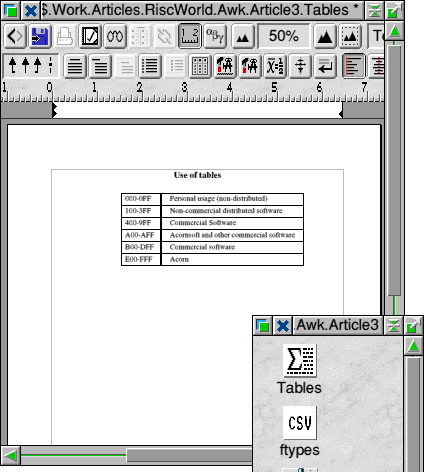
Techwriter/Easiwriter lets you drag Comma Separated Variable (CSV) files (filetype &dfe) into tables, and I have no doubt that many other applications have the same facility. I have found this a very convenient way of displaying data that has been processed by awk.
You create a blank table
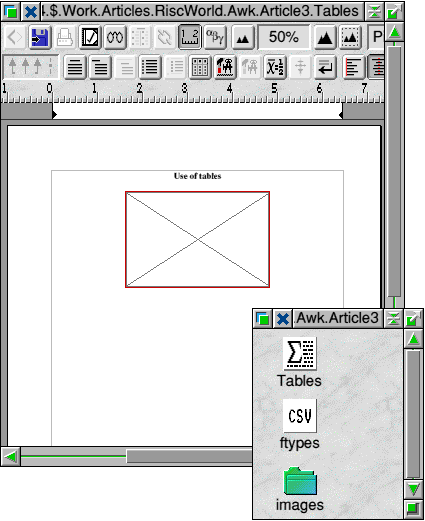
then drag in the CSV file
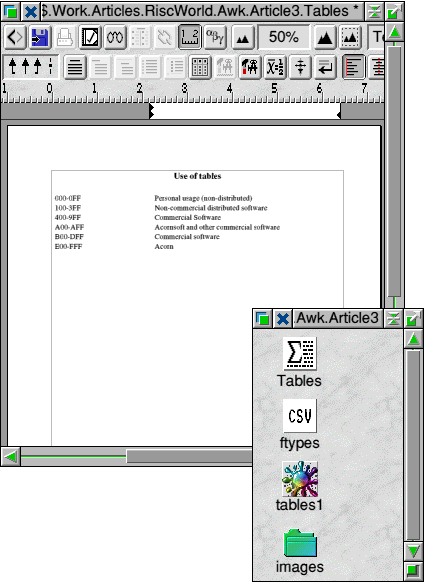
and select it,
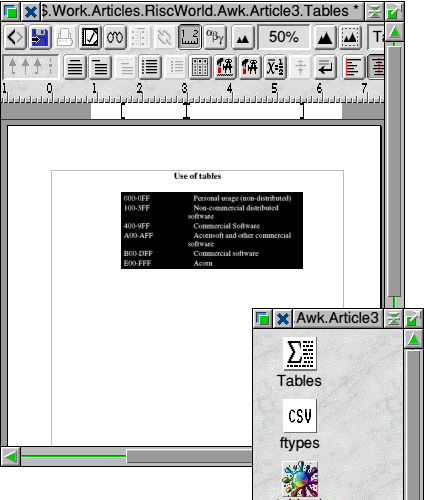
and format it appropriately:
Another method of tabularization, more portable to other platforms, is to output HTML code for insertion into a web page. Consider, for example:
# table

{ if (NF > maxlen) maxlen = NF
  line[NR] = $0 }

END
{ if (NR == 0) exit
  print "<table>"
  for ( row = 1; row <= NR; row++) {
   k = split(line[row],data)
   print "<tr>"
   for (col = 1; col <= k; col++)
    print "<td align=left" span(col,k) ">" data[col] "</td>"
   if (k == 0) print "<td colspan=" maxlen "></td>"
   print "</tr>"  }
  print "</table>" }

function span(c,k) {
    if (c < k || c == maxlen) return ""
    return " colspan=" (maxlen - k + 1) }
This converts a file of records with fields separated by spaces to code for an html table, with colspan attributes to pad the rows out where there are insufficiently many fields. Note the built-in function split. This takes a string as its first argument and an array as its second. It splits the string into fields using FS (or its third argument, if it has one), assigning the i-th field to the i-th component of the array, and returns the number of components as its value. If FS is set to an empty string, each character is a separate field.
Any document which is describable by a program, e.g. by HTML or by
 ,
is a good candidate for manipulation by awk if you need to
automate the process of producing lots of similar documents.
Mail-shot is the term usually used for this.
You need a file containing what is to be common to all the
documents, the template, and some convention for the
variables in it which are to be instantiated with
different values for each version. We could use words
beginning with @ for these variables, perhaps. For example,
suppose we are producing a set of web pages for an art gallery
to advertise the works of different artists. We want the page
to have the form
,
is a good candidate for manipulation by awk if you need to
automate the process of producing lots of similar documents.
Mail-shot is the term usually used for this.
You need a file containing what is to be common to all the
documents, the template, and some convention for the
variables in it which are to be instantiated with
different values for each version. We could use words
beginning with @ for these variables, perhaps. For example,
suppose we are producing a set of web pages for an art gallery
to advertise the works of different artists. We want the page
to have the form
<Header>
<Portrait of artist>
<Name of artist>
<Row of three thumbnailed examples of work>
<Titles of the works above>
<blurb about artistic career and biography>
<Links and contact address>
So we will need variables @portrait, @name, @ex1, @ex2, @ex3, @title1, @title2, @title3, @blurb. Our template HTML file, which we call Base might look like this:
<!DOCTYPE HTML PUBLIC "-//W3C//DTD HTML 3.2//EN">
<HTML>
<HEAD><TITLE> @name </TITLE></HEAD>
<BODY TEXT="#000000" BGCOLOR="#FFFFFF">
<CENTER>
<H2>The Spider's Gallery</H2>
<H3>Artists on our books</H3>
<IMG SRC="@portrait" ALT="Portrait of @name">
<H4>@name</H4>
<TABLE WIDTH="80%">
<TR>
<TD ALIGN=CENTER><IMG SRC="ex1" ALT="Thumbnail of @title1"></TD>
<TD ALIGN=CENTER><IMG SRC="ex2" ALT="Thumbnail of @title2"></TD>
<TD ALIGN=CENTER><IMG SRC="ex3" ALT="Thumbnail of @title3"></TD>
</TR>
<TR>
<TD ALIGN=CENTER>@title1</TD>
<TD ALIGN=CENTER>@title2</TD>
<TD ALIGN=CENTER>@title3</TD>
</TR>
</TABLE>
</CENTER>
<P>
@blurb
<P>
<A HREF="mailto:arachne@artifex.com">The Spider's Gallery</A>
</BODY>
</HTML>
Be careful to include newline characters in this file. Some HTML-producing software tends to write paragraphs of text as one long line. Different versions of awk may have different requirements about the maximum length of a line. To describe what values the variables are going to have we could have a file Artists of multiline records of the form
@name Van Struik
@portrait portraits/VStruik.jpeg
@title1 Lunar conurbation
@ex1 thumbs/VStruik/lconurb.png
@title2 Frenzy
@ex2 thumbs/VStruik/frenzy.png
@title3 Sunset over Uttoxeter
@ex3 thumbs/Vstruik/uttox.png
@blurb Van Struik has exhibited in Tampere (1965) and at
Louisiana (<em>Landsbrug, Svinhandel og den
Samfundsbevidste Kunstner</em>, Udstilling 1978)
where his works were responsible for a fundamental
review of the art-funding policies of the day.
The example file only contains one record, but you should imagine that there are lots. Invent your own!
To combine the Artists and Base files to produce a sequence of output pages
Art1, Art2, . . .
one for each record, we will need an Obey file Create with a command of the form
mawk -f subst Artists Base Art
where subst is a general awk program that does macro-substitution, and is quite independent of our choices for variable names and so on. Here it is:
# subst
# ARGV[1] holds macro definitions as multiline records.
# The first word in each line is the macro name,
# the rest is the body.
# ARGV[2] is the template file.
# ARGV[3] is the output file prefix.
# The number of the record is suffixed to it.

BEGIN { if ((prefix = ARGV[3]) == "")
           error("No output file name given")
        if ((template = ARGV[2]) == "")
            error("No template file given")
        ARGV[2] = ARGV[3] = "" # Remove from command line
        while ((getline x < template) > 0)
            line[++n] = x
        close(template)
        RS = ""; FS = "\n" }  # multiline records

{ for ( i = 1; i <= NF; i++ )
  { split($i,word," ")
    sub((m = word[1]),"",$i) # remove first word
    macro[m] = $i  }         # define macro
  write(prefix NR ,line,n,macro) # output
  for (m in macro)
    delete macro[m] # avoid spillovers from previous records
}

function error(s) {
printf("Error from subst: %s\n",s)
exit 1 }

function write(f,line,n,macro,  i,m,s) {
for ( i = 1; i <= n; s = line[i++] )
  {  for ( m in macro)
        gsub(m, macro[m], s) # replace variables by values
     print s > f }
  close(f)
  system("Settype " f " HTML") }
Note how we set the filetype of the output in the last line of the function write.
Summary
In this article we have dealt briefly with regular expressions and patterns. We have mentioned how easy it is to display data in tabular form, either by outputting data in CSV format and using an application that accepts CSV files, or by outputting HTML. We have looked at how awk can be used to perform mailshots, creating, in this case a series of HTML files from an HTML template and a file of records. The example given is as simple as possible, involving only substitution of text for variables. More sophisticated applications are a matter of using your imagination. The virtue of awk is that it is possible to sketch out and test prototype applications with very little code.
Gavin Wraith
Last Edit: Thu,02 Apr 2026